

Case study
Explore the prototypeAgromo
- Project
- Awaq BioTech · Awaq NGO
- Discipline
- Product design · UX/UI
- Platform
- Android
01 · Context
From the problem to an outline of the solution
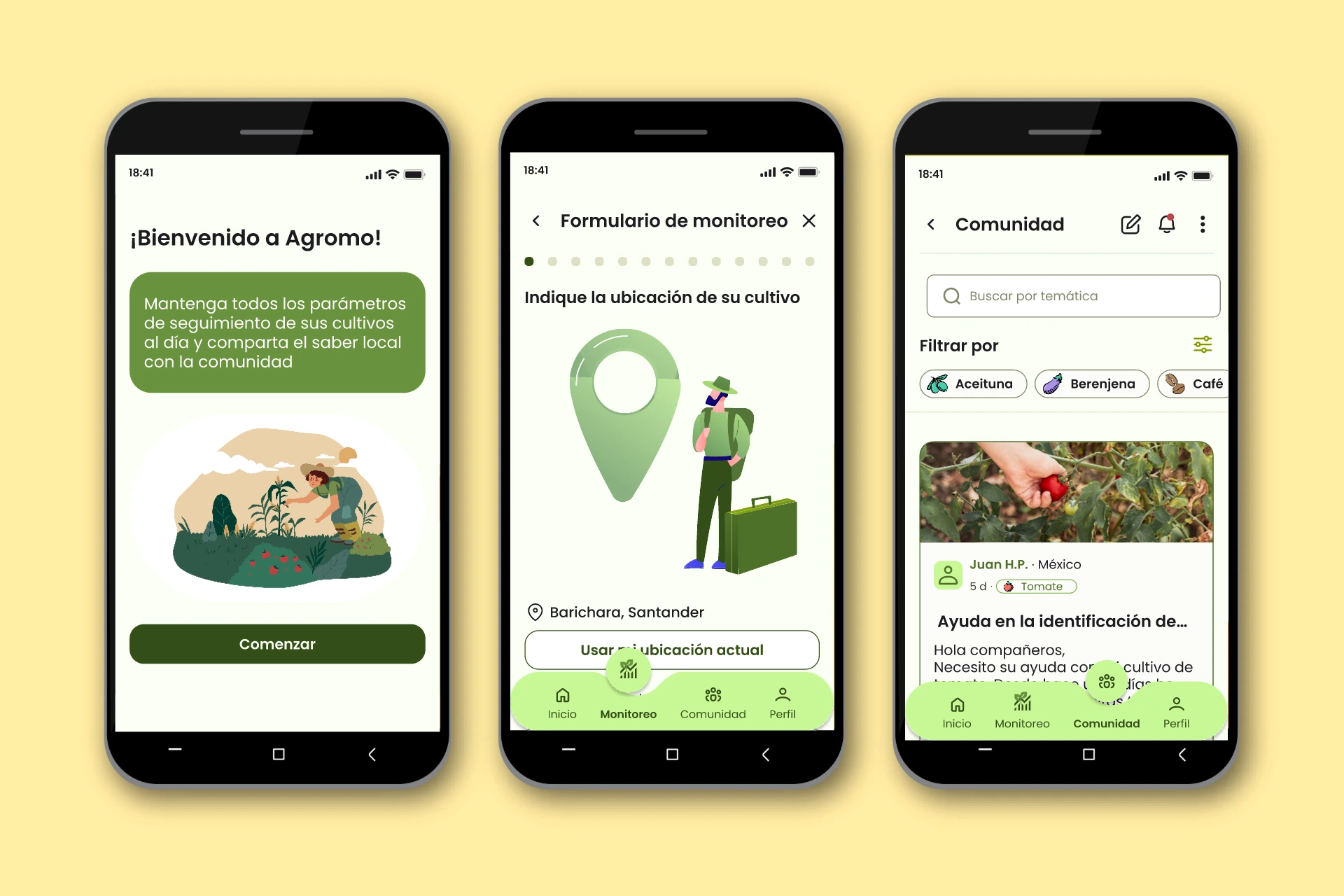
Agromo is an Android app developed as part of ABT (Awaq BioTech) for the NGO Awaq. The initiative promotes technological innovation in communities at risk of social exclusion and environmental degradation.
Farmers needed a simple way to record technical information about their crops and turn it into useful data for monitoring and decision-making. Information was collected manually and scattered across sources, making it difficult to analyse changes over time.
Agromo was designed to make field data collection and crop reporting simple, structured and accessible, including in settings with limited technological resources.
02 · Research
Methodology
2.1 The brief
2.1.1 Variables to collect
- Temperature and weather
- Moisture
- Plant height
- Foliage and growth stage
- Pests and diseases
- Soil fertility
- pH
- Weeds
- Crop varieties
2.1.2 Reporting and online community
- Exportable reports for projects and funding applications
- Connecting technology with local knowledge
- Building local capabilities
2.2 Research
- Desk research on precision farming and existing digital tools.
- Benchmarking AgTech platforms.
- Informal conversations with a contact in rural Colombia.
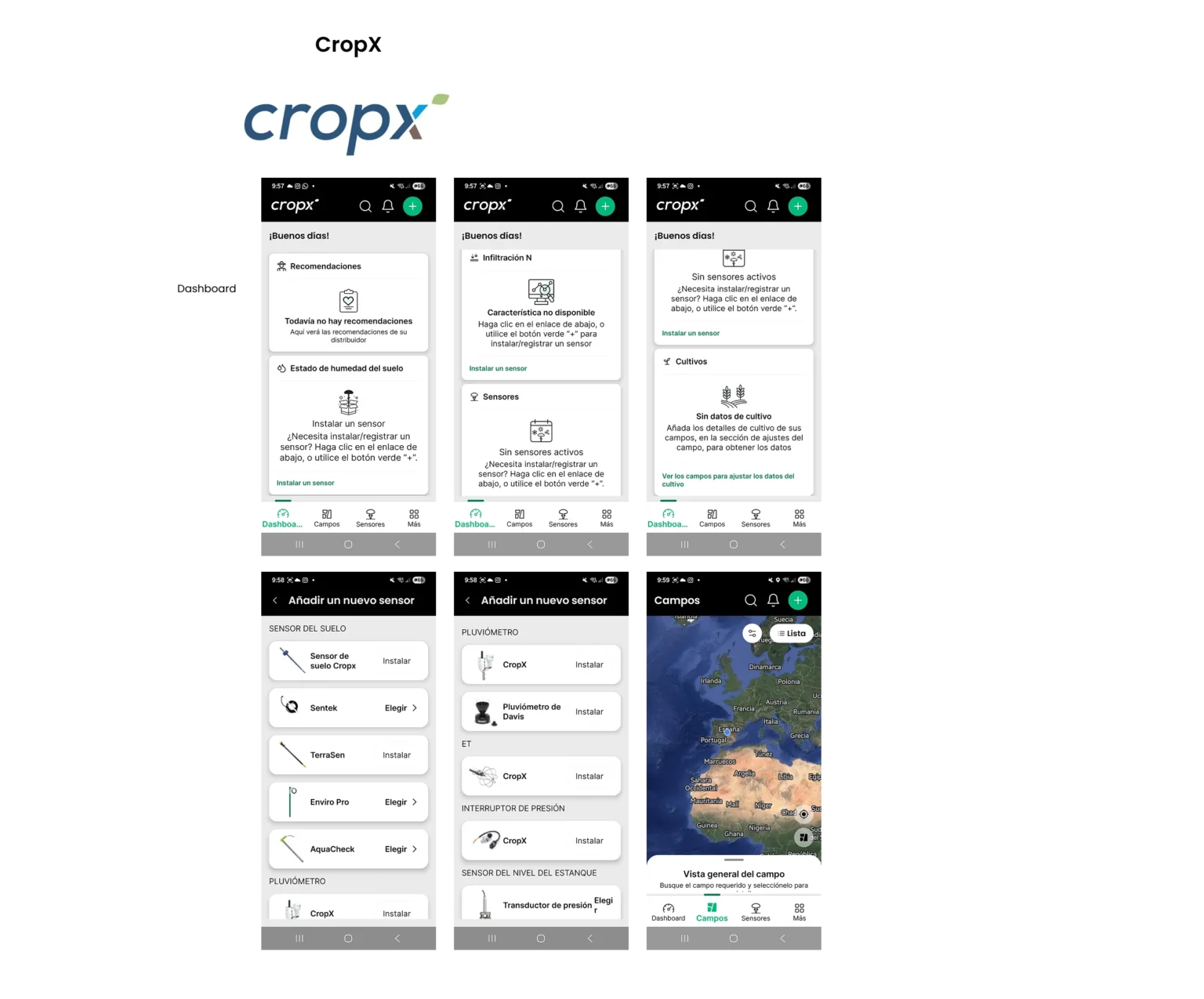
CropX
Collects soil moisture, temperature, electrical conductivity and weather data. Data collection relies on sensors synced with the app.
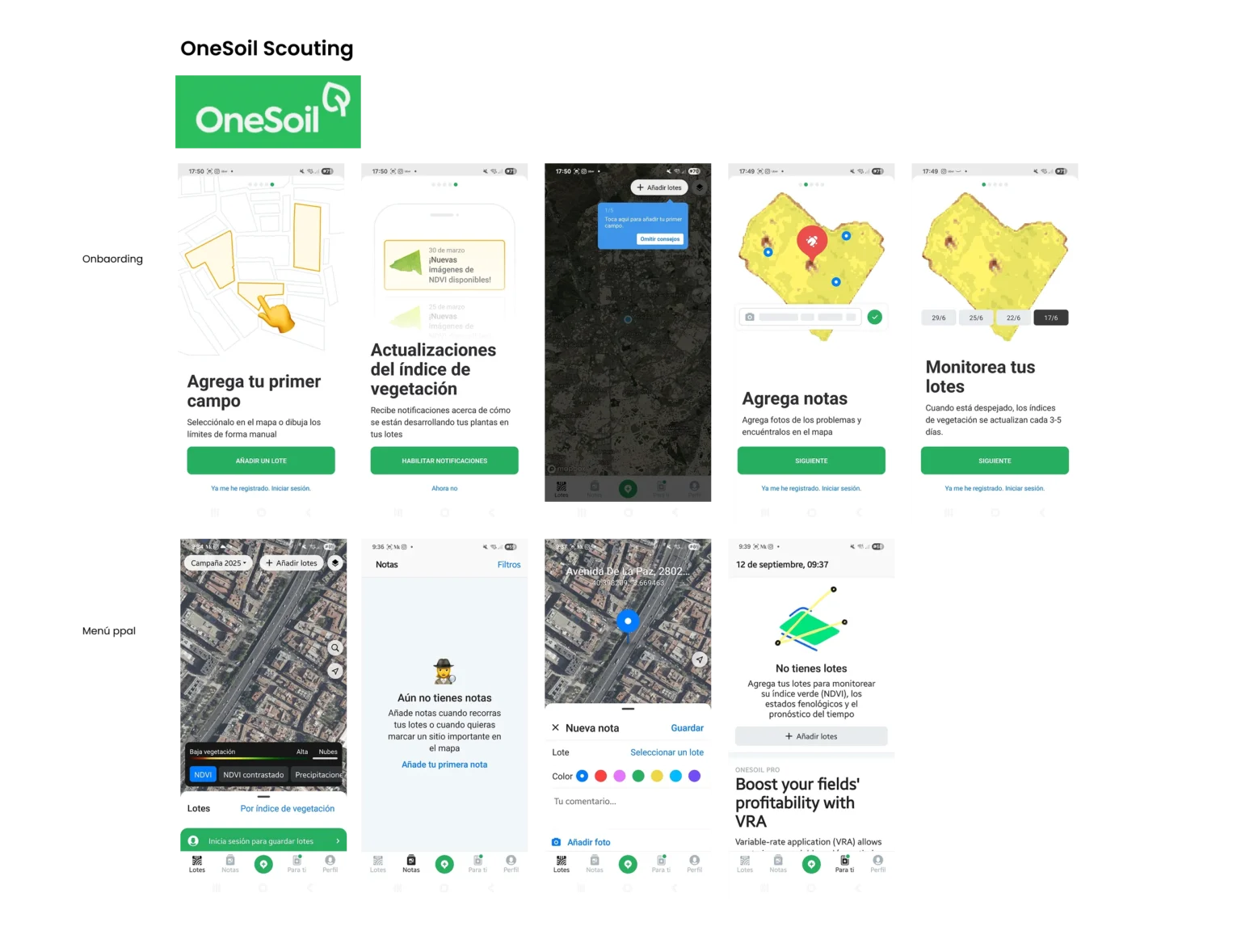
OneSoil
Uses satellite imagery and data analysis to help farmers monitor and manage crops remotely, improve yields and reduce fertiliser and seed costs.
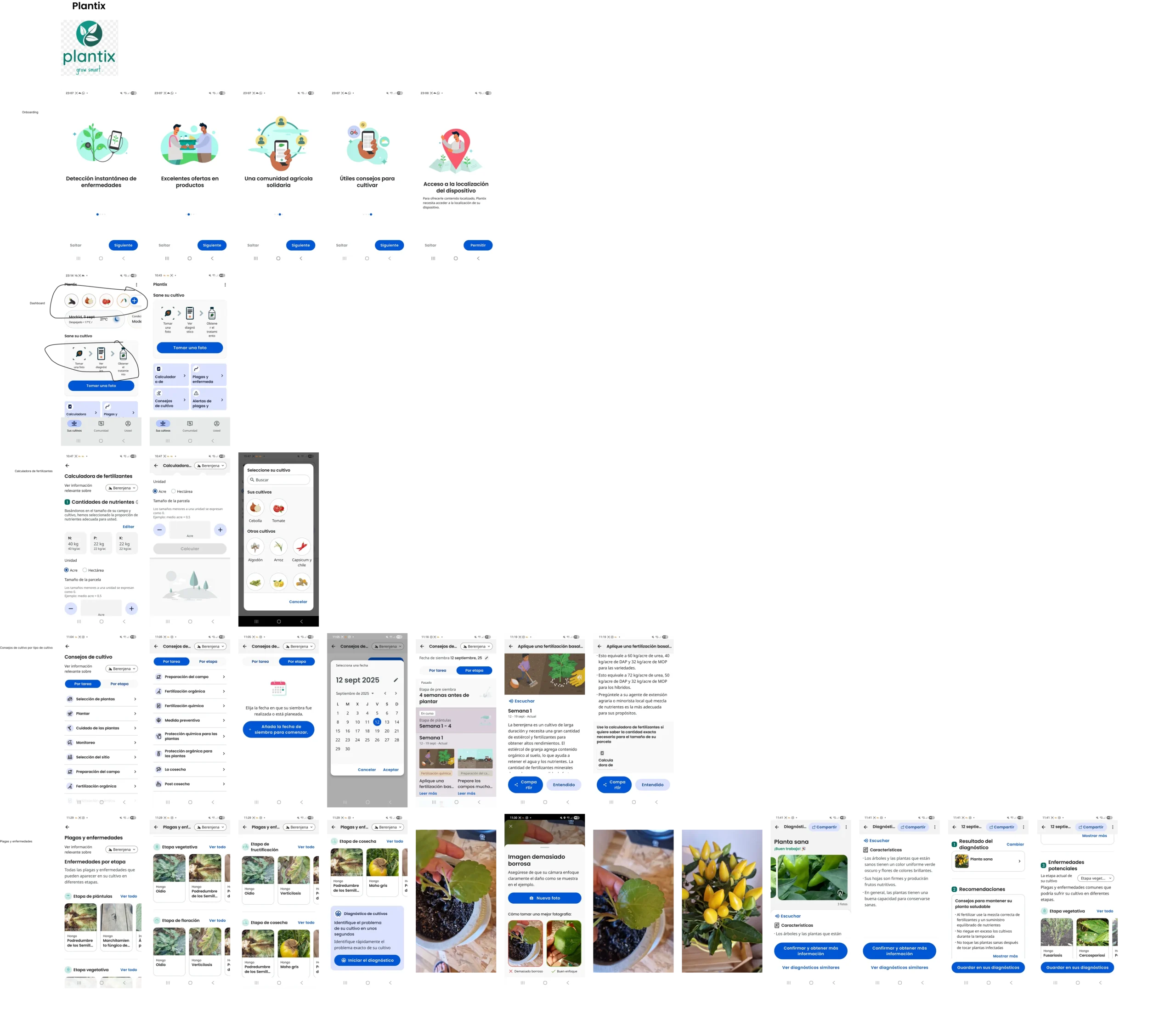
Plantix
Uses artificial intelligence to help identify and treat crop diseases, pests and deficiencies from photos.
03 · Design
UI and interaction design decisions
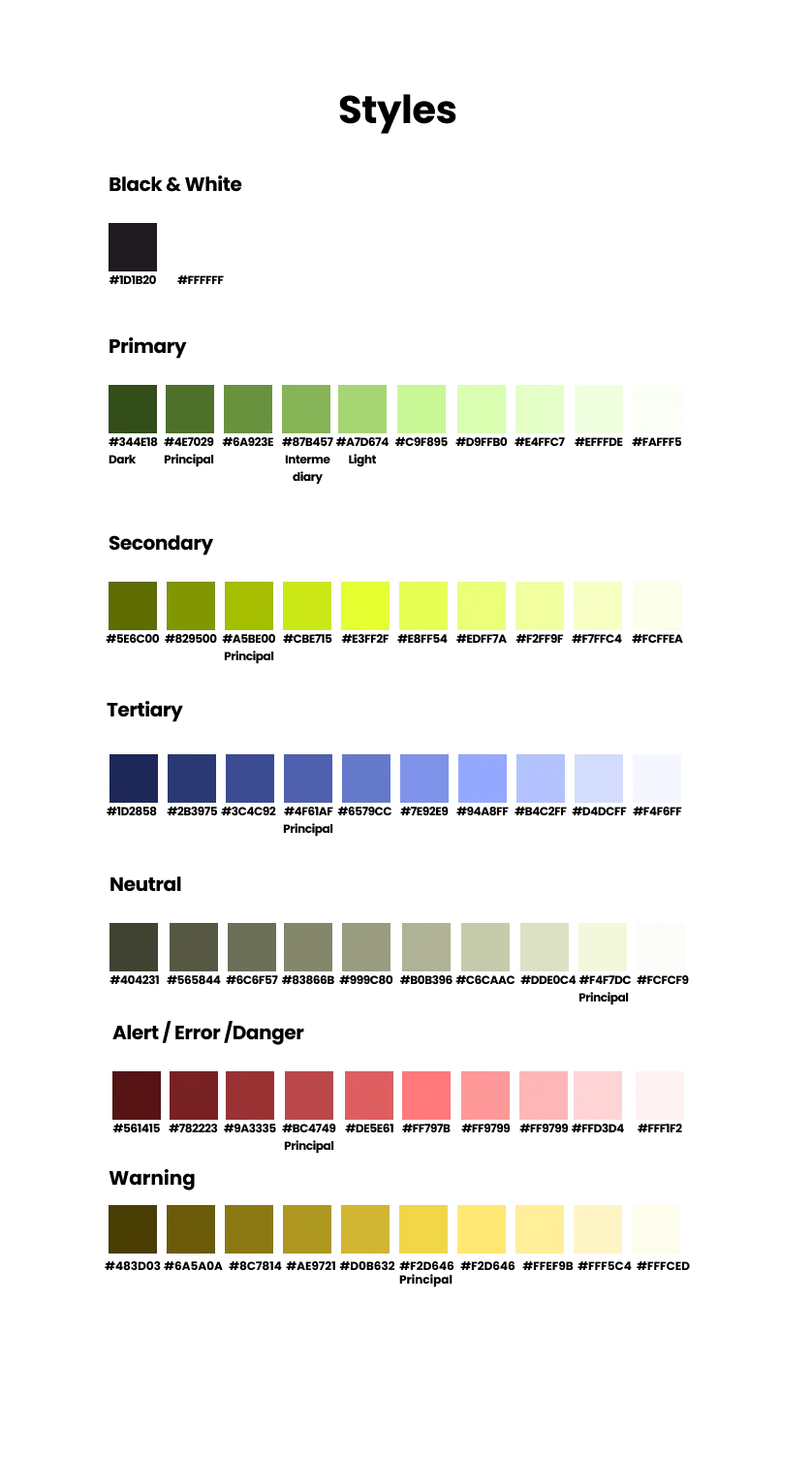
- An approachable visual language inspired by farming and naïve art. Fresh and acid greens, classic blue, neutral and semantic colours, illustrations and icons reduce perceived complexity and cognitive load.
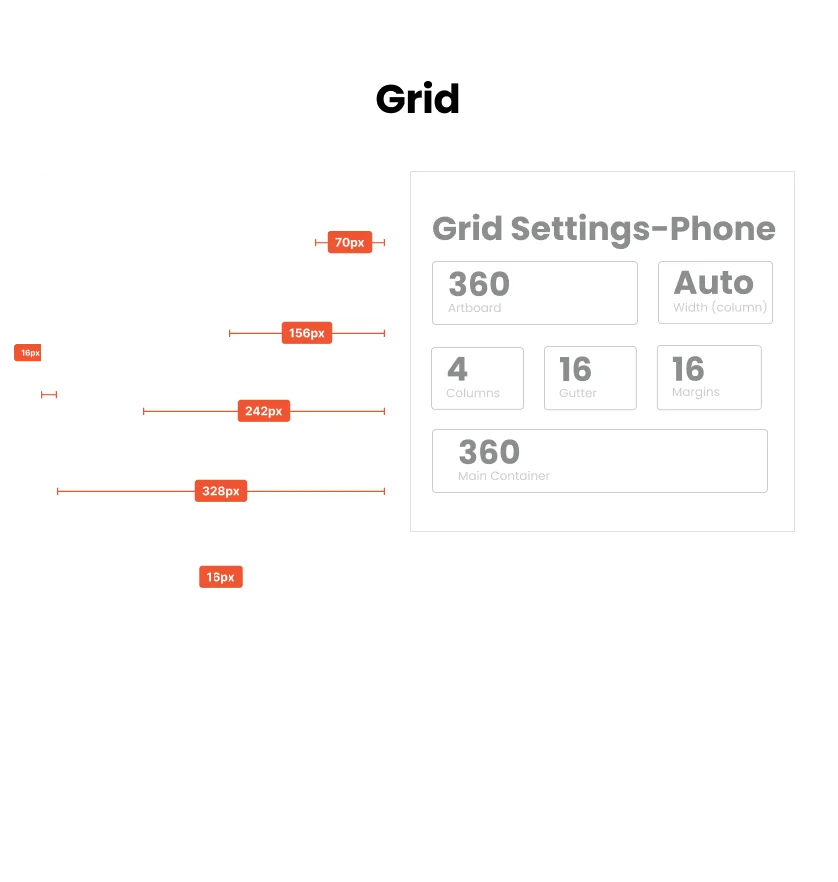
- A design system to keep the prototype and its core flows visually and behaviourally consistent.
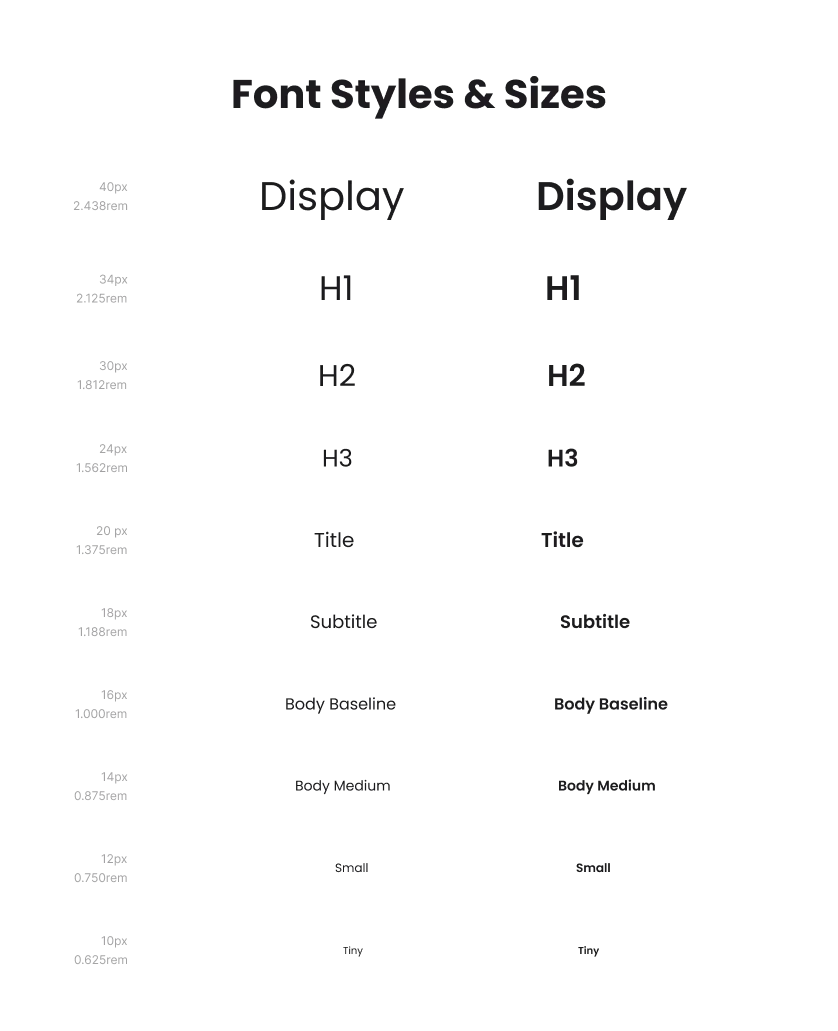
- Poppins for legibility outdoors under changing light conditions.
Colour palettes
Type scale
Layout grid
Priority flows for the MVP
- Onboarding. Introduce the app’s purpose and guide users through initial setup.
- Crop monitoring reports. Break data collection into simple steps with one variable per screen.
- Community questions. Help users ask questions and share knowledge.
- Profile and basic settings. Manage personal information and essential preferences.
04 · Learnings and next steps
Learnings and next steps
Learnings
This project taught me what it means to design for an NGO, where budget and resource constraints shape every design decision. Working within those constraints helped me prioritise, adapt my design process and find workable solutions that kept users’ needs in view.
Next steps
- Validate the prototype through usability testing with farmers.
- Iterate on the design based on what the tests reveal.
- Explore AI-based features to improve crop analysis and monitoring.